
Beyond File Sharing: How Modern Businesses Are Turning Documents Into Workflows
File sharing is easy. Managing everything that happens around those files is much harder. Discover how modern document workflows combine file management, collaboration, automation, and AI to help businesses turn documents into actionable processes.
For many businesses, file sharing is no longer the difficult part.
Uploading a document to the cloud takes seconds. Sending a link takes even less. The real challenge begins after the file has been shared:
- Who needs to review it?
- Has the latest version been approved?
- What happens when someone makes a change?
- Who is responsible for the next step?
- And perhaps most importantly: can anyone see the complete history of what happened to that document?
As businesses become increasingly digital, documents are becoming more than files that need to be stored. They are often part of a much larger business process, involving people, approvals, deadlines, data and decisions.
This is where the idea of workflow-based file management becomes increasingly important.
The problem with traditional file sharing
Traditional cloud storage solved an important problem: it made it easier for people to access files from different locations and devices.
But storing files and managing work are two different things.
Consider a simple example. A company receives a proposal from a client. The document needs to be reviewed by an account manager, checked by finance, approved by a director, and then returned to the client.
The file itself might live perfectly well in a shared folder. But the process around that file could still involve:
- Email conversations
- Microsoft Teams or Slack messages
- Spreadsheet checklists
- Manual reminders
- Different versions of the same document
- Separate approval processes
- People asking, "Has this been reviewed yet?"
- Files being downloaded and re-uploaded
The document is digital, but the workflow is still manual. And that distinction can create a surprising amount of friction.
Files are often the starting point of a process
In many organisations, a document is rarely the final destination. Instead, it triggers an action:
- A customer contract may need legal approval.
- An invoice may need to be checked before payment.
- A marketing asset may need approval from several departments.
- A new employee document may need to be reviewed by HR.
- A client submission may require information to be extracted, categorised and passed to another team.
In each case, the file is only one part of the process. The real business activity happens around the file.
This is why modern document management is gradually moving beyond the concept of "folders in the cloud" and towards systems that understand what should happen next.
From file storage to workflow management
A workflow-based approach connects documents with the actions and people responsible for them.
Instead of simply asking "Where is the file?", the organisation can start asking:
- What stage is this file at?
- Who needs to act on it?
- What happens next?
- Has everything required been completed?
This seemingly small change can make a significant difference. A workflow might look something like this:
Upload → Review → Extract data → Approval → Action → Archive
The document remains accessible throughout the process, while each stage provides context around what needs to happen. This creates a much clearer relationship between information and action.
Why context matters
One of the biggest problems with traditional file storage is that files can become disconnected from the work they support.
Imagine finding a folder containing five versions of a proposal:
- Which one is current?
- Why was the document changed?
- Who approved it?
- Was there a problem with an earlier version?
- What action is still outstanding?
A workflow-oriented system can help keep this context closer to the document itself. Instead of treating the file as an isolated object, it becomes part of a larger record of activity.
This can be particularly useful when multiple teams or organisations are involved.
Collaboration doesn't always mean working in the same office
Modern businesses increasingly work across departments, locations, suppliers, contractors and clients. That creates another challenge.
Sharing a file with someone is easy. Managing the work that follows is harder.
For example, an organisation might send a collection of documents to an external partner for review. Once those documents leave the original team's workflow, visibility can quickly disappear. People may rely on email replies such as:
"I've reviewed the document."
"Can you send me the latest version?"
"We're still waiting for approval."
"Which file are you referring to?"
These small interactions might not seem significant individually, but across hundreds or thousands of documents they can become a considerable operational burden.
A structured workflow can provide a shared view of what has happened and what needs to happen next.
The role of AI in document workflows
Another major development is the ability to use AI to process the information contained within documents.
Historically, extracting information from a document required someone to open it, read it, and manually enter the relevant details into another system. AI can increasingly assist with tasks such as:
- Extracting key information from documents
- Identifying specific fields or values
- Classifying documents
- Summarising content
- Detecting relevant information
- Preparing data for the next stage of a workflow
The important point is that AI doesn't need to replace the entire workflow. In many cases, its biggest value comes from removing repetitive steps between people and information. For example:
Document uploaded → AI processes information → Data is extracted → Person reviews result → Workflow continues
The human still makes the important decisions, but much of the repetitive work can happen automatically.
What should businesses look for?
Not every organisation needs a sophisticated workflow platform. But if your team frequently hears things like:
- "We can't find the latest version."
- "Who is responsible for this?"
- "Has this been approved?"
- "Can you resend that document?"
- "Where did this information come from?"
- "I thought someone else was handling it."
…it may be worth looking beyond conventional file storage.
When evaluating a modern document and workflow platform, consider these six areas.
1. File management
The fundamentals still matter. Files should be easy to upload, organise, access and share without creating unnecessary complexity.
2. Workflow automation
Ask whether the platform can help define what happens after a file is uploaded. Can tasks, approvals, notifications or other actions be triggered automatically?
3. Collaboration
Consider everyone involved in the process, not just employees. Can teams collaborate effectively with clients, suppliers, contractors or other organisations?
4. Visibility
A good system should make it easier to understand the current status of work. You shouldn't have to search through emails to figure out whether something has been approved.
5. AI capabilities
AI can be particularly valuable when teams process large volumes of documents. Look for practical automation rather than AI simply being added as a marketing label.
6. Security and access control
Documents often contain sensitive business information. Permissions, access control and secure sharing should be considered from the beginning rather than treated as optional extras.
Where Intellecta Share fits in
At Intellecta, we see file sharing as only one part of the bigger picture.
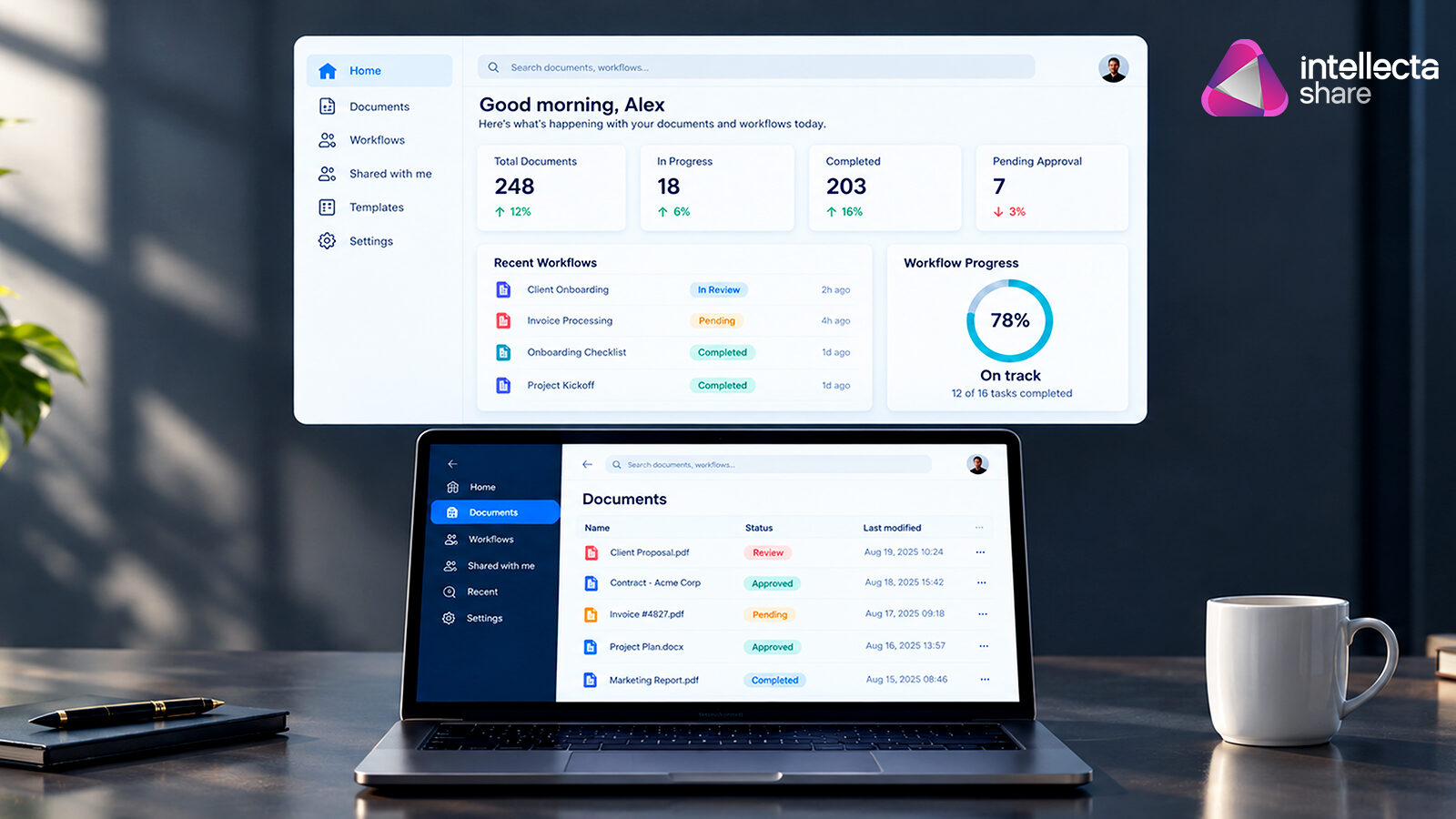
Intellecta Share was designed as a comprehensive workflow and file-sharing platform that connects documents with the processes surrounding them. Instead of simply providing a place to store files, Share brings together file management, workflow processes, collaboration and AI-powered data processing in one environment.
This means a document can move through a defined process rather than sitting inside a folder waiting for someone to remember what needs to happen next. For organisations managing complex document-based processes, it provides a more structured way to connect people, information and actions.
You can learn more about how Share approaches workflow-based file management on the Intellecta Share platform.
The future isn't just about storing files
Cloud storage transformed the way businesses manage documents. But the next step isn't about building bigger digital filing cabinets. It's about making information more useful.
A document should not simply exist somewhere in a company's storage system. When appropriate, it should be connected to the people who need to work with it, the decisions that need to be made, and the actions that need to follow.
That's the real difference between file sharing and workflow management.
The future of document management is likely to be less about asking "Where did we save that file?" and more about asking:
"What needs to happen next?"
For businesses looking to reduce manual administration, improve visibility, and make better use of the information already flowing through their organisation, that's a much more interesting question to answer.
Complete the form below to discuss with our team
More articles

Your Website Is Quietly Training Customers to Give Up
Your website could be losing potential customers through small but costly frustrations. Discover how digital friction affects navigation, contact forms, follow-ups and conversions—and how smarter website design and connected business systems can create a smoother customer experience.
Read article →
The Screenshot Economy: Why Your Business Is Running on Evidence Nobody Can Find
Read article →
Your Website Has a Memory: What Does It Remember About Your Customers?
Your website sees more than clicks and form submissions. Discover how connecting your website with forms, CRM, workflows and customer data can help your business remember, manage and act on every opportunity.
Read article →